Better Agent Terminal
管理多個專案時,總是在找終端機視窗?tmux 難以跨環境 porting、操作門檻又高?Better Agent Terminal 直接整合 Claude Agent SDK,打造跨平台的多工作區終端機管理工具,讓你一個介面掌握所有專案。
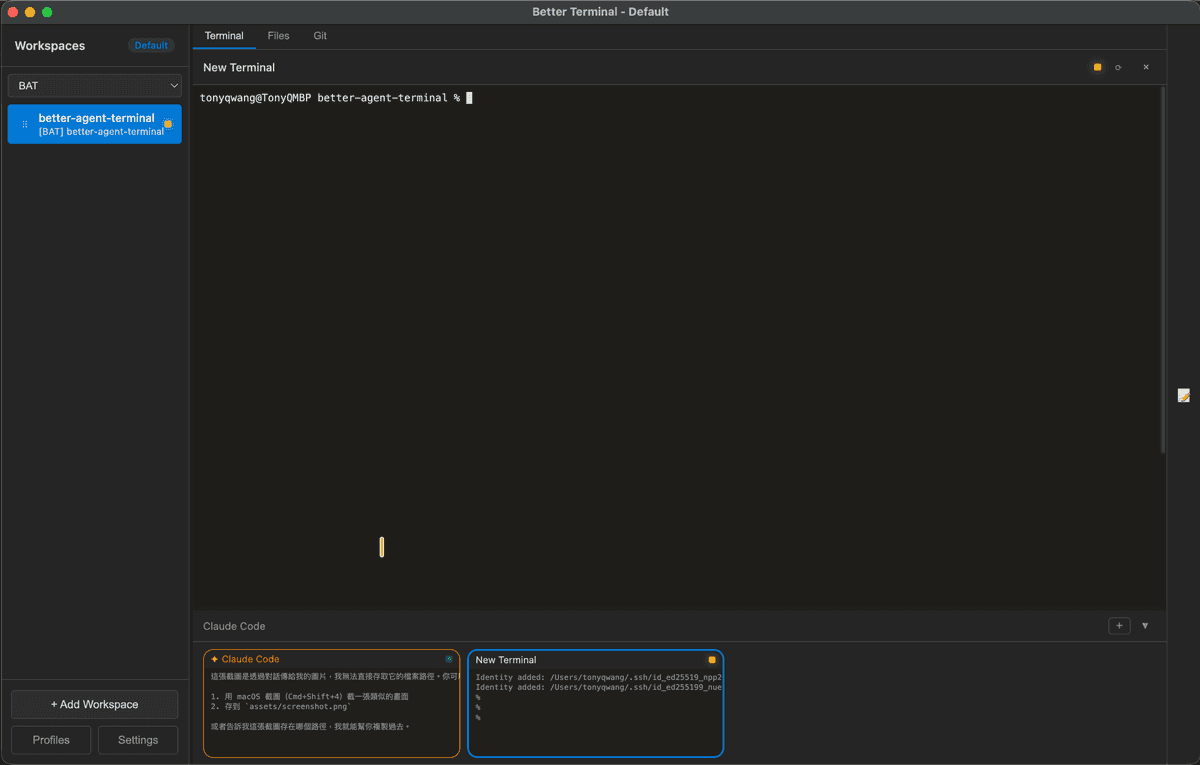
終端機介面
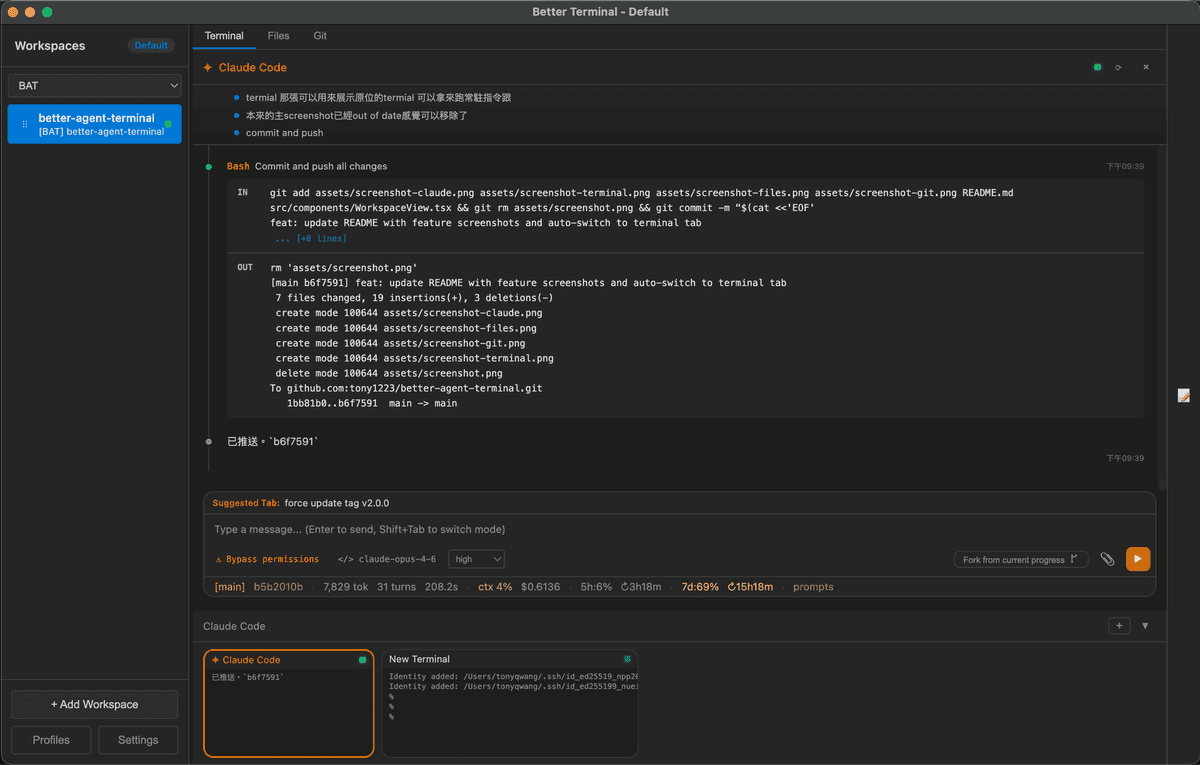
Claude AI 整合
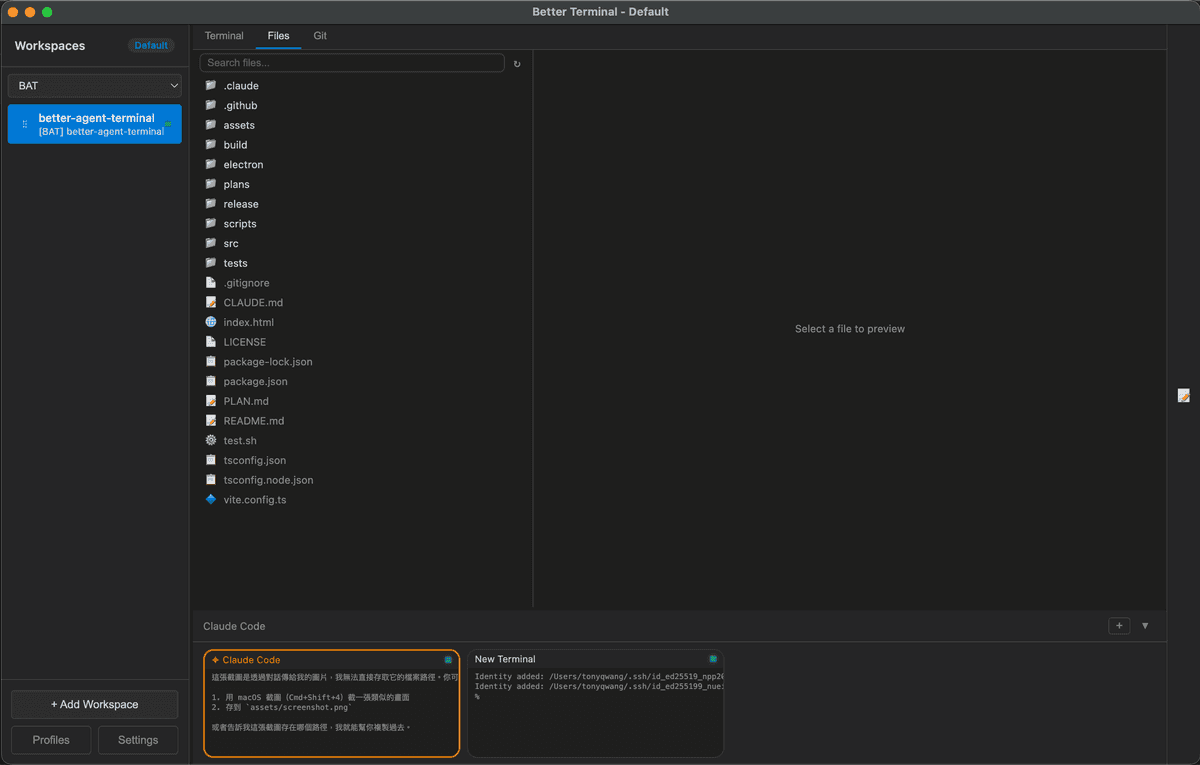
檔案瀏覽器
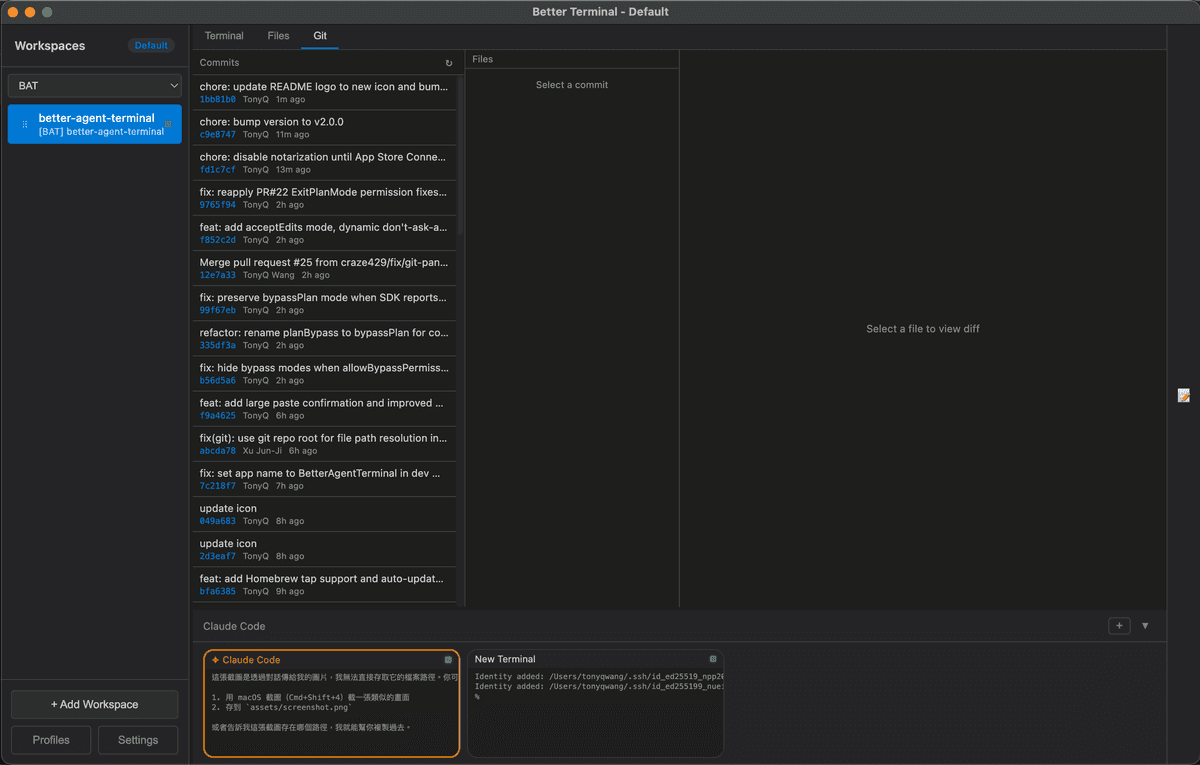
Git 整合
核心功能
一個介面整合終端機、檔案瀏覽、Git 與 AI Agent,專為多專案開發者打造。
多工作區管理
支援多專案工作區組織,拖曳排序、群組分類篩選、自訂環境變數。視窗可分離並在重啟時自動重新掛載,支援多組工作區配置切換。
整合式終端機
每個工作區支援多個終端機,Google Meet 風格 70/30 主面板與縮圖佈局。預設支援 Claude Code、Gemini CLI、Codex、GitHub Copilot 等多種 AI 終端角色。
Claude Agent SDK 整合
內建 Claude Agent SDK,直接在應用內執行 AI Agent。支援串流訊息、工具執行權限審核、對話持久化與分支、子代理追蹤、用量與成本即時監控。
檔案瀏覽與 Git 整合
內建檔案搜尋、語法高亮預覽。Git commit log、diff 檢視、分支顯示、未追蹤檔案列表,一個分頁搞定。
程式碼片段管理
SQLite 支援的 Snippet Manager,分類、收藏、搜尋常用程式碼片段,提升開發效率。
遠端存取
實驗性 WebSocket 遠端控制,支援 QR Code 連線與 Tailscale 整合,跨網路安全存取,不需要 port forwarding。
系統需求
- macOS / Windows / Linux
- Node.js 18+(從原始碼建置時需要)
安裝方式
- 1
透過 Homebrew 安裝:
brew install --cask tonyq-org/tap/better-agent-terminal - 2
或使用一鍵安裝腳本:
curl -fsSL https://raw.githubusercontent.com/tony1223/better-agent-terminal/main/install.sh | bash - 3
或前往 GitHub Releases 下載 DMG:
GitHub Releases
Open Source
開源免費下載
這是一個開源專案,原始碼完全公開,歡迎自由使用、修改與貢獻。
Better Agent Terminal
FREE
Open Source (MIT License)
- 完全開源,原始碼公開
- 免費使用,無任何收費
- 跨平台支援 macOS / Windows / Linux
- 整合 Claude Agent SDK